


Access Google Finance data in Sheets
Access Google Finance data in Google Sheets. Examine closing prices, percentage change or market movement over any timeframe.
Access the data in Google Sheets
You can access all of the Google Finance data in Google Sheets. This is helpful if you want to download, analyze, and visualize the data.
Create a new sheet in Google Sheets ‘sheets.new’.
To access the finance data, click on a cell and start your query by entering:=GOOGLEFINANCE(“The full query requires the following:=GOOGLEFINANCE(ticker, [attribute], [start_date], [end_date|num_days], [interval])
Add the ticker to the query:=GOOGLEFINANCE(“GOOG”“GOOG” is the ticker and can be replaced with any of the stock tickers from the 53 stock exchanges listed in Google Finance.
Add the attribute that you want the details of:=GOOGLEFINANCE("GOOG","price",This example shows that we’re interested in “price” for the stock GOOG. Other attributes you can examine are: "priceopen", "high", "low", "volume", "marketcap", “tradetime", “datadelay", “volumeavg", "pe", "eps", “high52", "low52".
Add the date period that you are interested in:=GOOGLEFINANCE("GOOG","price", DATE(2018,1,1), DATE(2018,12,31),
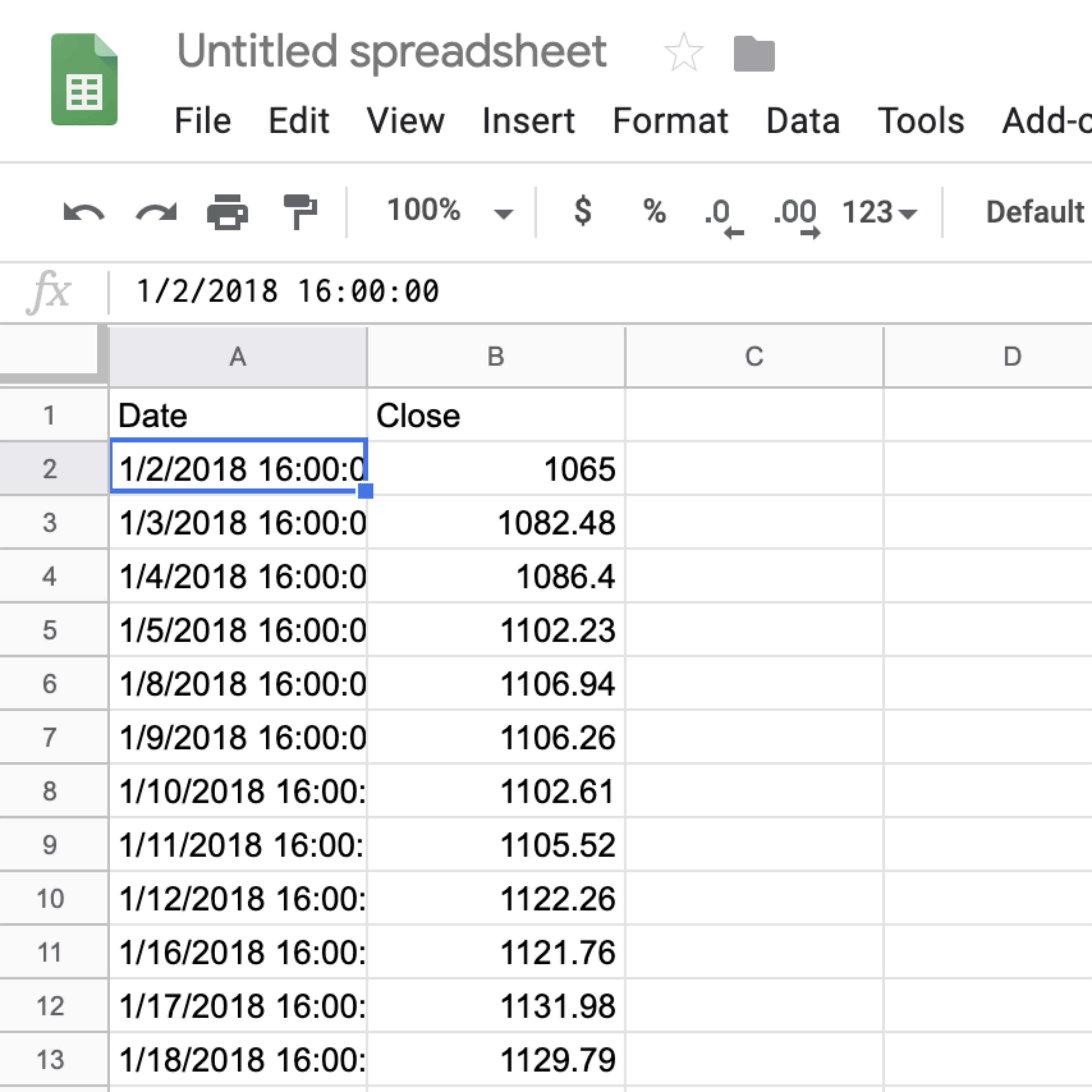
Now, add the timing interval:=GOOGLEFINANCE("GOOG","price", DATE(2018,1,1), DATE(2018,12,31),"DAILY")In this example, we’ve chosen DAILY but you can also look at WEEKLY prices.
To complete the query, click enter. The sheet will pull in the data we have requested. In this example, it will be the daily closing price for Alphabet’s (GOOG) stock price every day in the year 2018.
Congratulations!
You completed “Access Google Finance data in Sheets."
To continue building your digital journalism skills and work toward Google News Initiative certification, go to our Training Center website and take another lesson.
-
![79390180-18368d80-7f24-11ea-936e-22c30be1ccda_lnyPSqk.jpg]()
-
What are Web Stories?
LeçonHow the easy-to-use vertical video format is changing the face of digital storytelling and driving the connection between content makers and their fans. -
![YouTube Thumbnails (16)]()